Showing posts with label GPS Datalogger. Show all posts

January 05, 2012

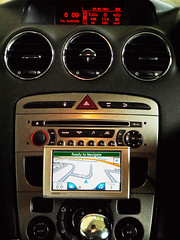
Garmin® ecoRoute™

ecoRoute™ is a new feature for Garmin GPS navigators which allows users to find more fuel efficient routes when navigating and even track fuel usage. ecoRoute™ is available for Malaysia-Singapore version of nuvi 2575R that I'm using at the moment. With ecoRoute™, it is useful to save petrol and money by adopting smarter driving habits.

ecoRoute™ was tested for the first 500km drive [from BB Bangi to Kuala Perlis] during the previous 1500km trip to the Northern and North-Eastern states of Malayan Peninsular. The car was driven on auto-cruise without exceeding speed limits most of the time.

The screen capture below shows some of the ecoRoute™ applications.
echo-route
There would be fuel report which tracks fuel usage over time, and mileage report which monitors mileage and fuel usage on a per-trip basis.
ecodrive bbb-kperlis

Fuel consumption trend for the 5hr drive
31788 BBB-KPerlis fuel consumption

the ecoChallange™ score chart...
38355- eco driving BBB-KPerlis
The drive was trying to keep the score as high as possible. Well >80% is 'A' already... :)

1500km-trip - Overall fuel Consumption trend
20hrs - 1596km  drive
Fuel: RM231.42@ RM1.90/liter
Distance: 1596km
Avg fuel consumption: 7.63liter/100km or 14.5sen/km

Note: ecoRoute™ is NOT ecoRoute™ HD . Not withstanding, the later would be the most logical upgrade. Stay tuned!

December 14, 2011

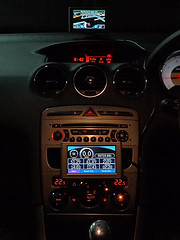
How To Retrieve Trip Log from Garmin 2575R

  1. Connect the GPS set to a pc/laptop using provided USB cable
  2. Turn on the GPS then select "Mass storage mode"

  3. Open mapping application such as Mapsource from the pc/laptop then click "Receive from Device" icon. When Dialogue box appears select the right device from the pull-down list.
  4. Select "Tracks" under "what to receive" and then click "Receive". When "Transfer complete" dialogue box appears click OK. Done.
  5. List of track logs can be found under "Tracks" tab. Double click on any "Active log" from the list to view "Track Properties" where you can retrieve trip data such as date, time, speed, altitude, latitude, longitude, ...etc.
  6. If you click "show profile" you will see the vertical profile for the entire track.

January 14, 2010

Better Place for GPS Device

Mounting Garmin NUVI GPS on suction pad to the windscreen is quite common but it could be too far to operate. There is a better place to mount it, especially for a second set...
P1100768GPS.__.P1100743GPS
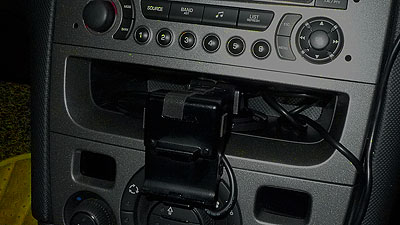
... simply by sticking the suction pad onto the circular plate that comes with the package then insert it into the compartment below head unit.
gpsmount
No drilling, no screwing and no cutting needed. It just perfectly 'ngam' in there.


Frequently Visited Pages:
| Home | Fuel Consumption | Performance | uncle's DIY |
Car Size Comparison | Motoring Myths | RON95 |

April 17, 2009

myPeugeot 308 Acceleration

April 17th was a bright day - clear blue sky with little isolated clouds. For Southern Klang Valley it was the best late afternoon weather in more than one month. On every Friday as usual I left my office early. The traffic was clear and I decided to test myPeugeot 308 for an acceleration from the last traffic light before reaching my home.I had with me a GPS datalogger. There is a 500m-straight for a quick sprint for 20 seconds up to 150kph before slowing down for a left-hand curve - there is also a gradual sloping up with approx. 50:1 gradient as a slight impediment for the test as shown below. [note: the gradient illustration is exergerated by using different scales for x-axis and y-axis. click on the image to enlarge]

This is part of the logged data. The car hit 100kph just after 9th second from standstill. However based on the car speedometer it took just 8.75secs to hit 100kph. The speedometer of my car probably reads 2-3% higher as I mentioned in earlier post.

Based on conservative figures from logged data, I plotted a chart using Lotus 1-2-3 spreadsheet as shown below and I can conclude that myPeugeot 308 can sprint from 0 to 100kph in 9.25seconds on normal AUTO mode. Prabably less than 9.1 sec if it was tested on level road by deploying tiptronic. I will find a better place to test how fast [or slow] for the 308 THP to reach from 0-160kph later...[already done, click [HERE] ]I'm quite certain by the time other 1.6~1.8liter N.A automatic tx cars reach 100kph, Peugeot 308THP Auto already hitting 120kph or more!

frequently visited pages:
|Home|Fuel Consumption|Performance|uncle's DIY|Car Size Comparison|

March 13, 2009

2Thousand-km Test Drive

The 2Thousand-kilometer test-drive starts on March 14th
400journey
Tentative Routes
Stage #1: KL-ITM Jengka, Pahang
Stage #2: Jengka-Jerantut [near Taman Negara]-KLipis-GMusang-Machang
Stage #3: Around Kelantan including Sungai Bagan offroad
Stage #4: KB-KT-Kuantan
Stage #5: Kuantan-Pekan-Endau
Stage #6: Endau-Mersing-Kota tinggi-JB
Stage #7: JB-BPahat-Muar-Melaka-Klang Valley

Pre-trip Preparations
1. On-board Navigation System, Tracker and Datalogger.

2. 'First-Class Seat' c/w Sleeping Berth for a special rear passenger

3.Luggage

4. Ready to leave


|Home|Fuel Consumption|Performance|uncle's DIY|Car Size Comparison|

Last 7-day Most Viewed Pages

All-time Most Popular Posts